
Instead of chasing booking details across a group chat, book 1st Base through DesignMyNight by finding the correct Southampton venue listing, following the booking or enquiry route shown, and keeping the final confirmation in one place. This 2026 guide takes you from choosing your activity to checking that the date, group size and booking status match your plans.
- To book 1st Base through DesignMyNight, check the Southampton listing and follow the booking or enquiry route shown.
- 1st Base suits Southampton groups wanting an activity bar with interactive baseball and social games.
- A submitted enquiry is not a confirmed booking; read the response before telling guests the plan is fixed.
- Check which activities your reservation covers rather than assuming every game is included.
Why this matters
The job is not finished when you submit a form. It is finished when you have confirmation of the visit you actually want. A birthday organiser needs the same basic certainty as someone arranging a work social: the right venue, the right date and a clear activity plan.
1st Base is an American-themed activity bar in Southampton city centre with an interactive baseball batting cage, shuffleboard, ping-pong and foosball. Those venue features tell you what to ask about, not what any particular reservation includes.
For your 2026 visit, separate the activity you want from the booking route you encounter. A straightforward reservation and a group enquiry need different follow-up, even when both begin on the same platform.
Before you start
- Nominate 1 organiser. Have access to the email address you will use, keep your contact details ready, and let one person handle submission and replies. Use an account only if the booking journey requests one.
- Prepare 2 date choices and a headcount. Decide your preferred date, a fallback date, intended arrival time, number of participants and main activity. For a family visit, note the children's ages and ask about relevant participation requirements.
- Check the booking status, not just the submission message. The non-obvious trap is treating an enquiry acknowledgement as confirmation. Also check whether the reservation concerns an activity, a general visit or an event arrangement before inviting everyone.
You do not need to turn the outing into an admin project. A short, agreed brief is enough to start; unanswered questions belong in the enquiry rather than in assumptions.
Venue selection
Find the correct listing
- Search DesignMyNight for the venue name alongside Southampton. Include both pieces of information so you can distinguish the intended venue from similarly named results.
- Open the result and check its venue name, location and description. You are looking for the Southampton activity bar associated with interactive baseball, not a different business with a similar name.
- Read the listing's booking information before starting the form. Identify whether the page directs you towards a reservation, an enquiry or another stated booking route.
- Keep the venue page open while you prepare the details. If you move into a separate booking journey, check that the venue information still matches.
Expected result: you have identified the intended venue and understand which route the listing asks you to follow.
Do not choose a result solely because it appears first. Matching the venue and city is a basic check that is much easier before submission than after a confirmation lands in your inbox.
Match the route to your plans
Use the route actually presented for your visit. The table below compares booking situations, not promises about which options a particular listing provides.
| Booking situation | Best for | Advantage | Limitation | Your next move |
|---|---|---|---|---|
| Reservation with clear activity details | A visit that matches the stated booking options | You can review the selected details before submitting | It only covers what the reservation explicitly states | Check the activity and booking status |
| Group or event enquiry | Birthdays, stag or hen groups and corporate plans needing discussion | You can explain requirements in context | Sending the enquiry does not confirm the event | Read the reply and resolve outstanding questions |
| Clarification before submission | Families or groups with participation or access questions | You avoid building plans around an assumption | You need an answer before treating the arrangement as settled | Ask the specific question through the route provided |
Choose the route that fits your requirements, not the route with the shortest form. If the page does not explain how your intended activity fits the reservation, clarify that point before submitting a different type of booking.
Visit details
Prepare a clear booking brief
- Enter the intended visit date, including 2026 where the form requests a year. Check the calendar selection before moving on; a correct day number in the wrong month is still the wrong booking.
- Enter the requested time and group size. Distinguish the number attending from the number taking part in an activity whenever that distinction matters to your plans.
- Identify your main activity using plain language. Ask for interactive baseball if that is the purpose of the outing, rather than relying on a general reference to a games night.
- Add relevant requirements wherever the journey provides space for them. Explain the occasion, any children's ages, access questions and whether the group wants to discuss other games.
- Review your contact details. Use an email address you can check and make sure the organiser's name matches the person who will handle replies.
Expected result: the booking details describe the visit you intend to organise, and the venue has a usable way to contact you.
Keep the brief factual. The organiser of a work social does not need a long company introduction; the venue needs to understand who is coming, what they want to do and which questions need answers.
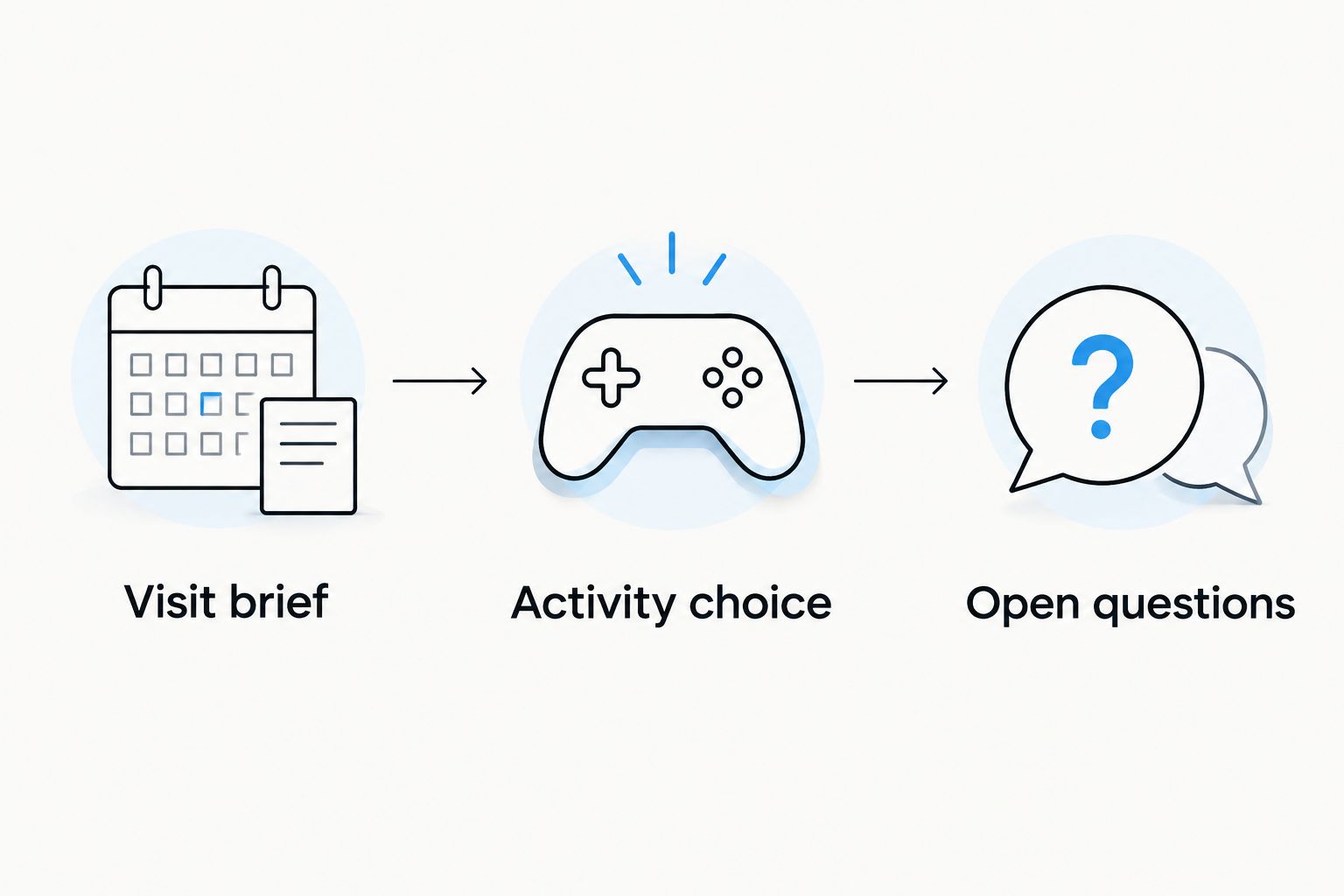
A useful preparation note has these three parts:
- Visit brief: preferred date, fallback date, intended time and headcount.
- Activity choice: the main game you want to arrange and any additional games you want to discuss.
- Open questions: participation requirements, access needs and anything the listing does not explain.
This approach also works for your 2026 birthday or family outing. The occasion adds context, but the activity choice still needs to be explicit.
Check the activity scope
Ask which parts of the visit the reservation covers. The presence of shuffleboard, ping-pong and foosball at the venue does not establish that those games form part of your baseball booking.
1st Base is best for Southampton groups seeking an activity bar with interactive baseball and social games. The planning trade-off is that a multi-game outing needs more detail than simply choosing a date: you must establish which activities are part of your arrangement.
For a mixed-interest group, decide whether baseball is the shared main activity or one element you want to discuss. Do not promise guests a sequence of games until the relevant arrangements are clear.
Submission and confirmation
Review before you submit
- Read the booking summary or enquiry details from top to bottom. Check the venue, date, time, headcount, activity and contact information together rather than checking each from memory.
- Read the terms presented in the booking journey. Pay particular attention to the stated process for changes, cancellations and any steps required to complete the reservation.
- Follow the submission instructions displayed. Treat the labels and requirements on the current page as authoritative rather than expecting a particular button name from an older guide.
- Read the resulting message carefully. Establish whether it confirms the visit, acknowledges an enquiry or asks you to complete another step.
- Save the confirmation or acknowledgement and any reference supplied. Keep subsequent replies alongside it so you can see the complete booking record.
Expected result: you know whether the visit is confirmed or still needs action, and you have a record of what you submitted.
Send one agreed plan to the group
Once the booking is confirmed, send 1 shared message containing the date, meeting arrangement, confirmed activity and anything guests need to know. Leave out unresolved extras rather than presenting them as part of the booking.
For a 2026 group visit, use the full date rather than a chat message saying “next Friday”. That gives guests a clear reference even if they read the message later or scroll back after another conversation.
Keep the organiser's private booking record separate from the guest message. Guests need the practical plan; the organiser needs the confirmation, correspondence and any reference used for follow-up.
Plan your activity bar visit
Explore the venue before deciding which activities to include in your group plans.
When your group details change
A change to the headcount or date is a second workflow, not a reason to start again blindly. Update the existing booking through the route stated in its confirmation or correspondence.
- Find the latest confirmation and any reference. Check which booking you are changing before sending a message.
- Write down the original detail and the requested replacement. For a headcount change, state both the previous total and the new total.
- Follow the amendment instructions provided. If the record directs you to contact the venue, use that route and identify the existing booking.
- Ask for confirmation of the revised arrangement. A request to change a detail is not evidence that the change has been accepted.
- Update the shared guest message only after the revision is confirmed. Keep the earlier correspondence in your organiser's record.
Expected result: the organiser and guests are working from the same confirmed details, without a second booking created by mistake.
This is particularly useful for work events where colleagues join or withdraw after the initial plan. For the wider planning process, use the guide to booking a group event at a sports bar.
Troubleshooting
You cannot identify the right venue result
Search with the venue name and Southampton together, then compare the location and description. Do not submit through a similarly named listing just because its booking form is easier to find.
You have an acknowledgement but no clear confirmation
Read the message for wording that identifies its status and any outstanding action. If it only acknowledges your enquiry, follow the stated reply route and ask whether the visit has been confirmed before sending guests a fixed plan.
The email has not reached your inbox
Check spam, junk and any filtered folders, then check the address you entered against your saved submission details. Use the contact route supplied in the booking journey to clarify the status rather than immediately submitting again.
The reservation does not mention your intended activity
Check the summary and correspondence for an explicit description of what you booked. If the main activity is missing or unclear, ask for clarification; a venue reservation alone does not establish that a batting cage session is arranged.
Different organisers have submitted different details
Collect the references and messages in one place, then ask the venue to clarify the records through the stated contact route. Nominate one organiser to handle the resolution and do not assume either submission replaces the other.
Customise your workflow
Keep the same booking process but adjust the brief to your group. A birthday needs a clear occasion and activity plan; a corporate outing needs a reliable attendee count and an organiser who can handle replies.
For a family visit, explain the participants' ages and ask about the requirements relevant to them. For an access-related question, describe the practical need rather than treating a venue description as confirmation of suitability.
If your 2026 outing includes several games, separate the confirmed activity from the games you still want to discuss. That gives the venue a clear question and keeps the guest plan accurate.
Make the booking brief specific, then keep the evening simple. Once the details are settled, your group can focus on playing rather than debating what the organiser meant.
FAQ
How do I book 1st Base through DesignMyNight?
Find the Southampton venue listing on DesignMyNight and follow the booking or enquiry route it presents. Check the activity, date, group size and final booking status before telling guests the visit is confirmed.
Does sending a DesignMyNight enquiry confirm my visit?
Sending an enquiry does not by itself confirm your visit. Read the acknowledgement and subsequent reply, then complete any stated steps before treating the plan as fixed.
What details should I prepare before booking?
Prepare your preferred date, intended time, headcount, main activity and organiser's contact details. Include relevant ages, access questions and the occasion when those details affect the arrangements.
Does an activity bar booking include every game?
Do not assume an activity bar booking includes every game. Check the reservation description and ask which activities form part of your specific arrangement.
Can I change the number of people after submitting?
Follow the amendment process stated in your booking confirmation or correspondence to request a headcount change. Treat the revised number as agreed only when you receive confirmation.
What should I do if I cannot find my confirmation email?
Check spam, junk and filtered folders, then verify the email address used for the submission. Follow the contact route supplied in the booking journey to clarify the status before submitting again.
Is 1st Base suitable for a group activity outing?
1st Base is an activity bar in Southampton city centre offering interactive baseball, shuffleboard, ping-pong and foosball. It serves group outings including birthdays, stag and hen events, corporate events and family visits; confirm the arrangements relevant to your group.
One last thing
Check what is confirmed before checking who has replied to the group chat. Enthusiastic guests do not turn an enquiry into a reservation, and a reservation does not automatically include every activity you mentioned.
Keep the final confirmation at hand and make the guest message match it. That is the simplest way to arrive with a plan everyone understands.